
How to Sync LMS Progress with HRMS and Operational Tools (2026)
Training data is only useful when it flows into the systems where decisions are made. If course completions, certifications, or skill progress stay locked inside your LMS, teams still end up doing manual updates in HRMS or operational tools.
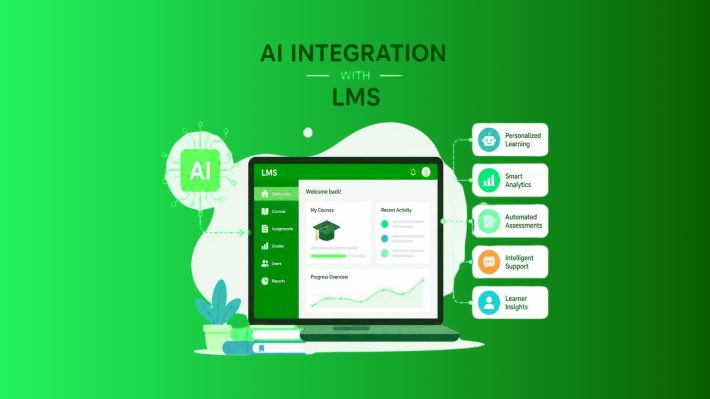
Modern LMS platforms solve this by syncing learning progress directly with HR, ERP, and internal systems. With the right integrations, learning events automatically update employee records, compliance status, or skill scores without extra admin work.
This is especially useful for teams using Acadle alongside HRMS or ERP tools.
Why Sync LMS Progress with HRMS?
When LMS and HRMS work together, training becomes part of everyday operations instead of a separate process.
Key benefits include:
- No manual data entry for training updates
- Real-time visibility into certifications and compliance
- Accurate skill records for performance reviews and promotions
- Scalable employee upskilling without admin overload
For growing teams, this integration removes friction and keeps learning data reliable.
Common Integration Methods to Sync LMS Data
There are three practical ways to sync LMS progress with HRMS or operational tools. The right choice depends on how real-time and how custom your setup needs to be.
1. No-Code Automation with Tools Like Zapier
No-code automation is the fastest way to get started.
With tools like Zapier, you can create simple workflows where an LMS event triggers an update in another app. Acadle supports native triggers for events like enrollments and course completions, making this setup straightforward.
How it works:
- Trigger: A learner completes a course in Acadle
- Data sent: User email, course name, completion status, score
- Action: HRMS updates a field like “Training Status” or “Certified”
This approach works well for:
- HR teams using tools like BambooHR
- Ops teams needing quick visibility into training progress
- Teams that want results without custom development
2. Real-Time Sync Using Webhooks
Webhooks are ideal when you need instant updates.
Instead of waiting for scheduled syncs, the LMS pushes data to your system the moment an event happens. This is useful for compliance-heavy or time-sensitive workflows.
Typical use cases:
- Compliance course completion updates
- Safety or regulatory certifications
- Real-time skill readiness tracking
With webhooks:
- The LMS sends a payload when progress changes
- Your HRMS or internal system receives and processes it
- Records update immediately without polling
This method requires some technical setup but offers maximum speed and control.
3. Direct API Integrations for Enterprise Workflows
APIs are best for large organizations with complex systems like SAP or SuccessFactors.
Using LMS APIs, teams can build custom, bidirectional integrations. This allows:
- LMS progress to update HRMS records
- HRMS role changes to auto-enroll users in courses
- Centralized reporting across systems
This approach is common in enterprise environments where learning data feeds directly into workforce planning and performance systems.
Example: Syncing Acadle Course Completion to HRMS
Here’s a simple example workflow many teams use.
- A learner completes a course in Acadle
- Acadle triggers a completion event
- Zapier, webhook, or API sends the data (user email, course ID, status)
- HRMS updates the employee record
- Training status changes to “Certified” or skill score increases
Once set up, this process runs automatically for every learner.
Choosing the Right Integration Method
| Tool Type | Best For | Setup Effort | Ideal Use |
| Zapier | No-code automation | Low | Fast LMS to HR sync |
| Webhooks | Real-time updates | Medium | Compliance and instant status |
| APIs | Enterprise workflows | High | Full system integration |
Many teams start with Zapier and move to APIs as they scale.
Final Thoughts: Make Learning Data Work Across Systems
Training should not live in isolation. When LMS progress flows into HRMS and operational tools, learning becomes measurable, actionable, and scalable.
Acadle is built to support this kind of flexibility. With native automation support, webhooks, and APIs, teams can connect learning outcomes directly to the systems that matter most, without adding complexity.
The result is less manual work, cleaner data, and learning that actually drives operational impact.